Gridwise: Gig Driver Assistant
- 4.5
- Rating
- 1.00M
- Installs
- Free
- Price

 Analysis by App-foxy
I found Gridwise: Gig Driver Assistant most useful when I stopped thinking of it as another driving app and treated it as a money-and-routine companion for gig work. It is built for people who move passengers or deliveries around town and want a clearer view of what that work is really producing. The developer is Gridwise, and the app sits in the finance category rather than behaving like a simple map or a single delivery platform.
That distinction matters in a shared household. One person may be driving while another handles bills, fuel planning, or the weekly budget. In that situation, the app can help the driver organize their own work information, but it should not be mistaken for a shared family account or a household finance hub. My overall impression is positive: it can make gig driving feel less improvised, although it works best when the driver remains the person responsible for entering, checking, and interpreting the information.
What it feels like to use Gridwise for real gig work
The first practical question is simple: who is this for? I would point it toward rideshare drivers, delivery workers, and people who alternate between several gig platforms. It is especially relevant if you already suspect that a busy shift is not necessarily a profitable shift. Gross earnings can look encouraging until fuel, dead mileage, waiting time, and vehicle wear enter the picture. Gridwise is valuable because it encourages a more complete view of the work instead of focusing only on the amount shown by a platform.
You May Also Like

 Blood Strike: 2.5 Anniversary
Blood Strike’s Loadouts Turn Every Drop Into a Tactical Gamble
A close look at Blood Strike’s custom loadouts: how fast access to signature weapons reshapes its battle royale rhythm, rewards preparation, and narrows the gap between fights.

 Pandora - Music & Podcasts
Pandora’s Music Is Easy to Start, but Harder to Recover
Pandora’s strength is its low-effort path from a seed to a station. Its weak spot is how much confidence it asks you to place in connection, setup, and quiet recovery.

 8 Ball Pool
 Is Built on Rivalries, Rematches, and Routine
A close look at the rivalries, rematches, shared routines, and unanswered safety questions that turn a quick pool match into a persistent mobile community.

 Samsung Music
’s Quiet Strength Is Playing What You Already Own
Its reach comes less from spectacle than from dependable access to a personal library. That simplicity is both the app’s strongest retention engine and its ceiling.

 AccuWeather: Weather Radar
AccuWeather Review: A Quick, Clear Forecast for Everyday Decisions
For everyday plans, the best forecast is the one you can understand quickly. AccuWeather makes rain timing, radar, and local conditions easy to act on, with a few trade-offs.

 Hill Climb Racing
Why Hill Climb Racing Still Turns Crashes Into One More Run
A tiny car, a bumpy hill and one more upgrade: Hill Climb Racing keeps resurfacing because its simple chaos makes every near-miss feel personal.
More From Our News Desk



A realistic example would be a driver who starts after dropping children at school, works through a lunch rush, pauses for an appointment, and returns for an evening shift. Rather than judging the day by the busiest-looking hour, I would use the app to keep the separate blocks of work visible. That makes it easier to ask better questions: Was the midday period actually worthwhile? Did a long repositioning drive consume too much time? Did the evening shift earn enough to justify the extra fuel and traffic?
The useful habit is not merely recording income; it is comparing income with the time and driving that produced it. That is the kind of perspective a normal bank app cannot provide. A banking app shows money arriving and leaving, while a gig platform usually shows only its own activity. Gridwise belongs between those two views, helping the driver understand the working day before the money disappears into ordinary household spending.
The app is free to download and use as a finance tool, with optional in-app purchases ranging from a small amount to a much higher single-item price. I would therefore begin with the free experience and only consider an upgrade after identifying a specific problem it solves. A subscription or paid feature is worthwhile only when it saves enough time or improves decisions enough to matter to your driving routine.
Why the broader view beats relying on one platform
Drivers who use only one rideshare or delivery service may already have earnings screens, trip histories, and payout summaries. Those tools are convenient because they are close to the source, but they also encourage platform-by-platform thinking. If you switch between services, the useful comparison becomes harder. One app may look strong because it shows a large payout, while another shift may quietly involve less waiting or a shorter return journey.
Gridwise makes more sense for that multi-platform reality. I would use it as a personal layer above the individual services, not as a replacement for their official records. The platform that paid you remains the authority for a missing trip or disputed payout. Gridwise is better suited to planning, reviewing, and comparing the work as a whole.
There is also a trade-off. A broader overview is only as good as the information you keep accurate. If you forget a shift, mix personal driving with work driving, or enter figures inconsistently, the conclusions become unreliable. This is not a magic profitability detector. It rewards a driver who is willing to maintain a simple routine.
Setting boundaries on a shared phone
Household use deserves a little care. If several people use the same phone or tablet, I would keep Gridwise tied to one driver’s work identity rather than treating it like a communal app. A partner might help review a weekly total, but the driver should know which entries belong to which shifts. Mixing two people’s driving into one history would make comparisons meaningless and could create awkward confusion when one person assumes the numbers describe their own work.
For a shared device, the cleanest arrangement is to decide in advance who owns the account and who may look at it. That is not a special family feature; it is simply good account hygiene. I would avoid leaving a driver’s financial information open for casual browsing, especially if children also use the device. The app is about work earnings and related decisions, so it deserves the same basic privacy awareness as a banking or budgeting app.
This boundary is also important when a household member helps with administration. Someone else can remind the driver to review a shift or help compare a week with the previous one, but they should not silently alter figures or assume that a household total is the same as a driver’s gross earnings. Clear ownership prevents small misunderstandings from becoming arguments about money.
On a personal phone, I would create a short end-of-shift routine: finish the driving, check the relevant platform records, then update or review the Gridwise information while the details are still fresh. On a shared device, I would add one more step by signing out of the device or closing the app when finished, depending on the phone’s normal security setup. That is a more sensible precaution than expecting the app to manage household boundaries for you.
Coordination without turning the driver into an administrator
The strongest household use case is coordination. Gig work often changes around school pickups, appointments, meals, and another person’s work schedule. A driver can use the information gathered in Gridwise to explain why a certain time block is worth keeping and another is not. That makes planning more concrete than saying, “I was busy all afternoon.”
For example, a couple might agree that one person drives during a predictable high-demand period while the other handles dinner or errands. After several work sessions, they can discuss whether that arrangement produces enough value to justify the disruption. The app does not need to become a family calendar to support this conversation. Its role is narrower and more useful: give the driver a clearer record to bring into the conversation.
I would not use it as the only source for household budgeting. A household budget needs rent, utilities, taxes, debt, groceries, and personal spending, while Gridwise is focused on the economics of gig driving. The best workflow is to use the app for the driving side, then transfer a sensible amount into the household budget after accounting for work-related costs and money that must be reserved.
One non-obvious benefit is that this separation can reduce emotional pressure. A driver may feel compelled to accept every opportunity because the household needs money. Reviewing work by time and cost can reveal that some hours are not helping as much as expected. That does not automatically make the decision easy, but it gives the household something more useful than a vague impression of being constantly busy.
Another useful practice is to compare shifts by conditions rather than by total payout alone. A short session that fits neatly between responsibilities may be more valuable than a longer session that creates extra travel and fatigue. Gridwise cannot make that personal decision for you, but it can support a more honest review of what the work costs in time and energy.
Age, trust, and who should use it
The content rating is Everyone, but that does not mean every person in a household is an appropriate account holder. This is a finance app designed around gig driving, so the meaningful user is an adult or otherwise eligible worker who understands the platform accounts, vehicle costs, and financial information involved. I would not hand it to a child as a pretend money-management game, and I would not ask a young family member to manage a driver’s records without supervision.
Trust matters more than age labels here. A partner, parent, or trusted helper may be able to review information with the driver, but the driver should remain aware of what is being recorded and why. If the app is installed on a family tablet, I would make sure everyone understands that opening it may reveal work-related financial details. That is a household conversation, not a feature to assume the app handles automatically.
For a new driver, the most important lesson is to distinguish gross earnings from money that is genuinely available to spend. I would use the app alongside receipts, fuel records, and the official earnings history from each platform. It can support better decisions, but it should not replace tax guidance, a proper expense record, or professional financial advice when those are needed.
Experienced drivers may get more from the app because they already have patterns to compare. They can look at different types of work, different parts of the day, or different combinations of platforms and decide where their effort is best placed. A beginner may need to spend more time building consistent records before the comparisons become meaningful. That initial discipline is the main barrier, not technical complexity.
Where the app creates friction
My biggest reservation is that any earnings assistant depends on regular attention. Gig work is already fragmented, and adding another place to review can feel like administrative work after a tiring shift. If you want a completely automatic experience that requires no checking, this may disappoint you. The app can organize your view of the work, but it cannot remove every manual judgment from it.
There is also a risk of false precision. A neat-looking total can create confidence even when personal driving, unpaid repositioning, or vehicle expenses were handled inconsistently. I would treat every result as a decision aid, not a final accounting statement. The more important the financial decision, the more carefully I would compare the app with original platform records and real expenses.
Drivers who work for only one service and already feel comfortable with its earnings tools may find Gridwise unnecessary. In that case, the extra layer could add little beyond another routine to maintain. It becomes more compelling when work is spread across services, when schedules change often, or when the driver wants to understand the relationship between time on the road and money kept.
People who are looking primarily for navigation should also look elsewhere. A dedicated navigation app is generally the better choice for route guidance, traffic awareness, and turn-by-turn driving. Gridwise’s value is financial organization around gig work, not replacing every tool used inside a vehicle.
Version, reach, and everyday fit
The current version is 3.76.1, and the app supports devices running Android 8.0 or later. That makes it practical for many older Android phones, which is useful for drivers who keep a separate work device in the car. I would still check that the phone is reliable enough for the other apps used during a shift, because compatibility alone does not make an aging device pleasant to operate.
Gridwise has been available since December 3, 2016, and its scale suggests that it is not a brand-new experiment: it has more than a million installs, a 4.5 average rating, about twelve thousand ratings, and roughly two thousand nine hundred written reviews. Those figures are encouraging, but I would read them as signs of broad interest rather than proof that every driver will have the same experience. Gig work varies too much by city, schedule, vehicle, and platform for one rating to settle the question.
The free entry point is helpful for testing whether the workflow fits your habits. I would spend a normal week using it before deciding whether optional purchases are useful. A driver who never reviews records will not gain much from paying for additional capability, while someone who regularly compares shifts may find a paid option easier to justify. The deciding factor should be a concrete improvement in your routine, not the promise of having more information.
My household verdict
I recommend Gridwise: Gig Driver Assistant to drivers who want to understand gig work beyond the payout number shown by a single service. Its best role is a personal financial companion for the road: one place to review work patterns, coordinate realistic schedules, and discuss gig income with the people who share the household consequences.
I would install it on the driver’s own account, keep household access intentional, and avoid blending two drivers’ records. I would also pair it with official platform histories and ordinary expense records rather than treating it as a complete accounting system. Those boundaries preserve its strengths while preventing the app from becoming a source of misplaced confidence.
For a household deciding whether the driving is worth the time, that perspective can be genuinely useful. For someone who wants navigation, automatic bookkeeping, or a general-purpose family budget, another tool will probably fit better. My final view is that Gridwise earns its place when the driver is willing to review the work honestly. Used that way, it can turn scattered gig activity into information the whole household can actually use.
FAQs for Gridwise: Gig Driver Assistant
01What is Gridwise and how does it benefit gig drivers?
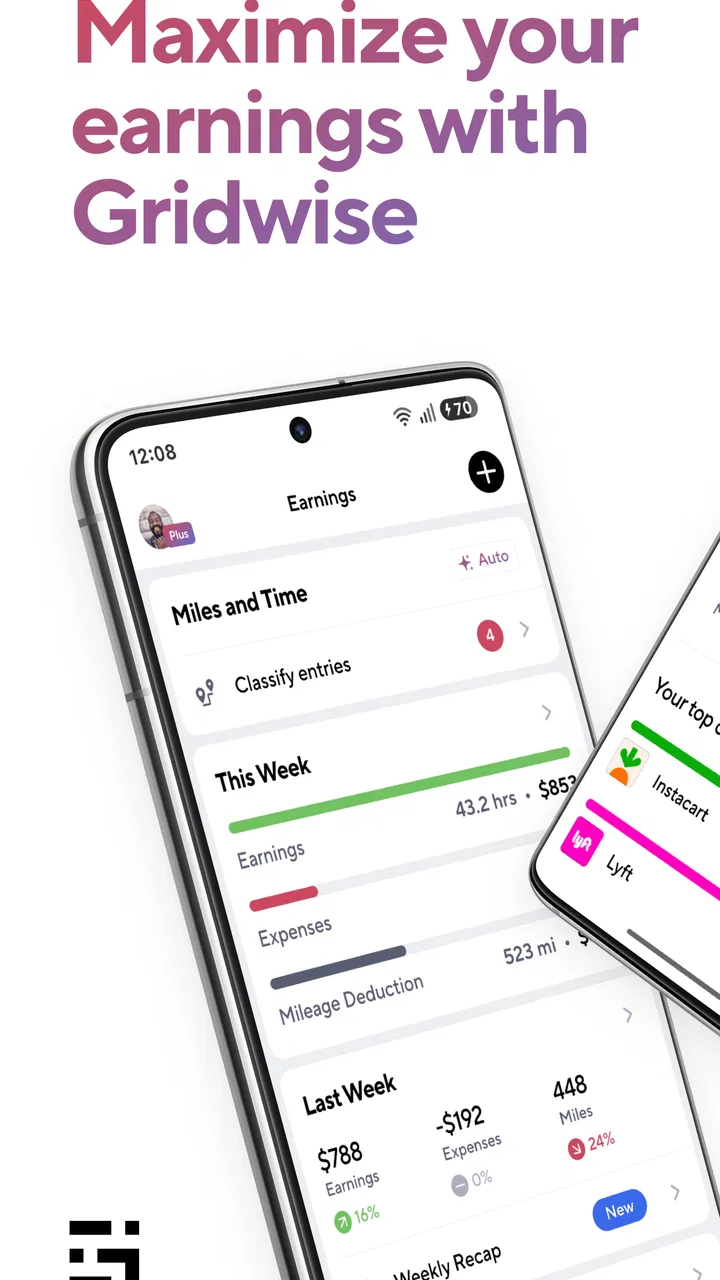
Gridwise is a comprehensive app designed to assist gig drivers in optimizing their work. It provides features like mileage tracking, earnings analysis, and insights into peak times and locations for driving. This helps drivers maximize their income by making informed decisions on when and where to work.
02Does Gridwise support integration with multiple gig platforms?
Yes, Gridwise supports integration with several major gig platforms such as Uber, Lyft, DoorDash, and Postmates. This allows drivers to track their performance across different services in one place, providing a holistic view of their earnings and helping them strategize more effectively.
03Is the Gridwise app free to use, and are there any premium features?
Gridwise offers a free version with essential features like mileage tracking and earnings insights. However, for more advanced features such as detailed performance analytics and weather forecasts, users can subscribe to Gridwise Plus, a premium service that offers enhanced tools for serious gig workers.
04How accurate is the mileage tracking feature in Gridwise?
Gridwise uses GPS technology to provide accurate mileage tracking, which is crucial for calculating deductions and ensuring drivers are reimbursed correctly. The app runs in the background, automatically logging miles whenever you’re driving, ensuring precision without requiring manual input from the user.
05What kind of support is available for Gridwise users?
Gridwise offers customer support through various channels, including in-app help, email, and an online help center with articles and FAQs. The support team is responsive and aims to resolve user issues quickly, making it easier for drivers to get assistance with any app-related problems.
Pros
- Tracks mileage for tax deductions.
- Consolidates earnings from multiple apps.
- Real-time traffic and weather updates.
- Helps optimize driving routes.
- User-friendly interface and setup.
Cons
- Limited features in free version.
- Some features require manual input.
- Occasional syncing issues with apps.
- Battery drain with continuous use.
- Ads present in the free version.

Gridwise: Gig Driver Assistant
Gallery